
The Capture Sheet Method: A Simple Spreadsheet That Saved One Owner 20 Hours a Week
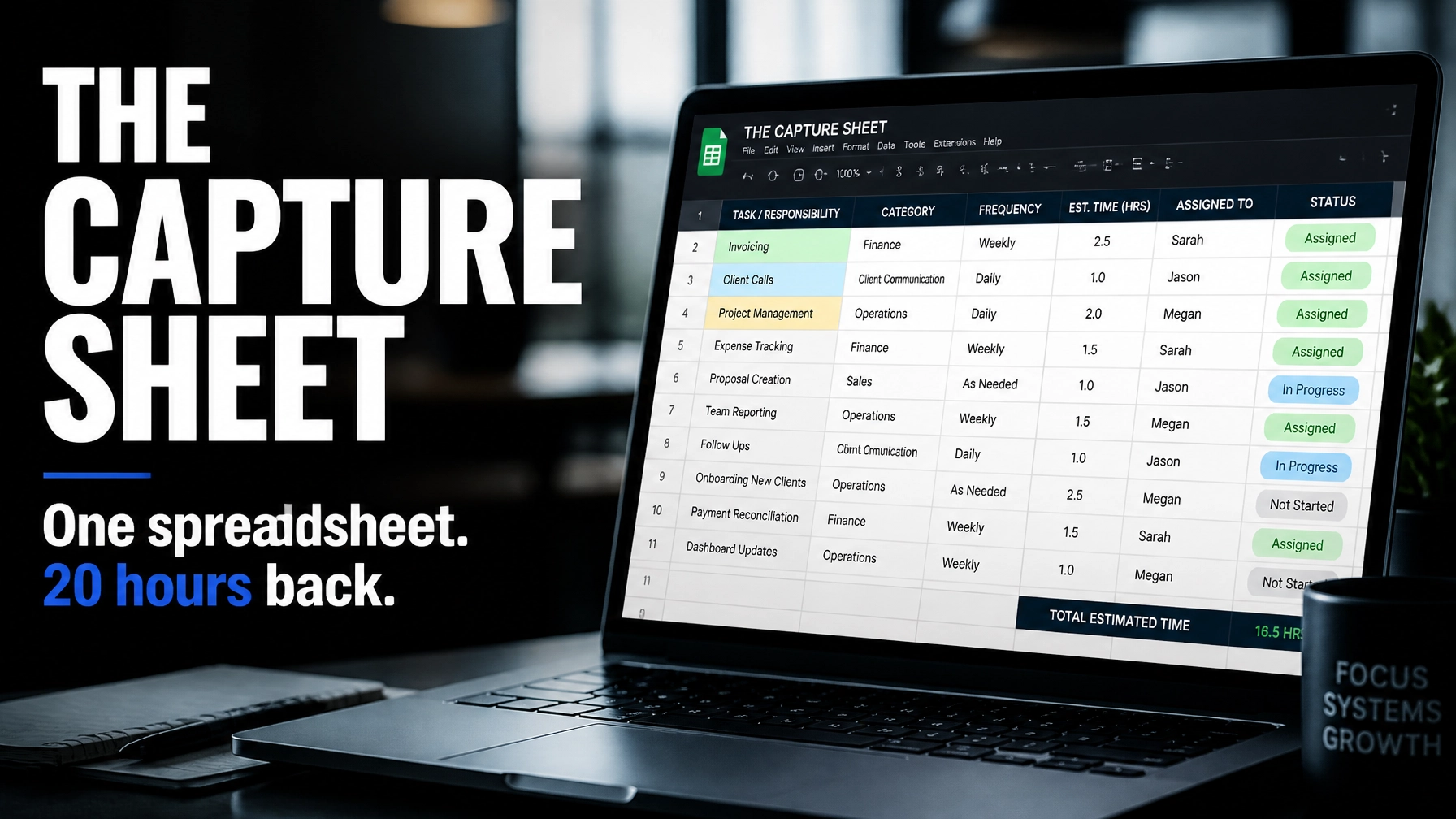
I’m going to show you the single most powerful tool from the Clockwork system. It’s a spreadsheet.
Yes, a spreadsheet.
I know, you were probably hoping for a high-tech AI app or a complex piece of enterprise software. But here’s the truth: the path to freedom isn’t found in more technology; it’s found in more clarity. This one spreadsheet, the Capture Sheet, saved one of my clients 20 hours a week in just 60 days.
If you’re a business owner working 60-hour weeks, feeling like every decision has to go through you, and wondering why your team can’t just "handle things," this is the "golden nugget" you’ve been waiting for. We are going to dig into the technical side of business systems and processes and show you exactly how to stop being the bottleneck.
What is a Capture Sheet?
In the Clockwork system created by Mike Michalowicz, the Capture Sheet is the backbone of the "Capture Systems" stage. Most owners think they don't have systems. They’re wrong. You do have systems, they’re just currently living inside your head.
The Capture Sheet is a master list of every recurring task in the business. It tracks who owns the task, how long it takes, and, most importantly, how that task fits into the larger health of the company. It’s not just a "to-do" list; it’s a "to-design" list.

The Anatomy of the Capture Sheet: The Columns
To build your own Capture Sheet, open a Google Sheet or Excel file. You need these specific columns to get the data required to scale:
- Task Name: Be specific. Instead of "Marketing," write "Post Tuesday Instagram Reel."
- Owner (Primary): Who is currently doing this? (If it's you for 90% of the tasks, we have work to do).
- Pinch-Hit (Backup): If the primary owner is sick or on vacation, who takes over? If the answer is "nobody" or "me," you have a massive risk.
- 4D Tag: This is the secret sauce. You must categorize every task as Doing, Deciding, Delegating, or Designing.
- QBR Linked? (Yes/No): Does this task directly support your Queen Bee Role (the core function that makes your business unique)?
- Frequency: Daily, weekly, monthly, or ad-hoc?
- Time per Week: How many hours/minutes does this take on average?
The 4D Categories: Your New Lens for Productivity
To use the Capture Sheet effectively, you have to understand the 4D framework. This is how we audit where your time is actually going.
- Doing: This is the physical act of performing a task. Invoicing, answering emails, or swinging a hammer.
- Deciding: This is the danger zone. If your team is "task-rabbiting": meaning they do the work but come to you for every single decision: you are stuck in Deciding. You are the bottleneck.
- Delegating: This is when you assign an outcome, not a task. You empower the team to make decisions and own the result.
- Designing: This is the CEO work. It’s creating business systems and processes, setting the vision, and looking 6 months ahead.

The 4-Step Process to Reclaim Your Time
Once your sheet is set up, follow these steps to start cutting your hours.
Step 1: Capture Everything
For the next week, don't change anything. Just record. Every time you switch tasks, log it on the Capture Sheet. If you spent 15 minutes troubleshooting a printer, log it. If you spent 2 hours on a client proposal, log it. You can't fix what you haven't measured.
Step 2: Classify with 4D
At the end of the week, look at your "Owner" column. If your name is in there for 40+ hours of "Doing" and "Deciding," you aren't a business owner; you have a very stressful job. Tag every task with its 4D category. Be honest: if you are answering questions about how to format a report, that is "Deciding," not "Delegating."
Step 3: Identify What to Transfer or Trash
Look for the low-hanging fruit.
- Trash: Are you doing things that don't actually move the needle? Stop doing them.
- Transfer: Look at the "Doing" tasks that someone else could handle. If you’re a $4M owner doing $20/hour admin work, you are losing money every single day.
- Trim: Can a task be shortened or automated?
Step 4: Design Systems for the Rest
For the tasks that remain, you need to "Capture" the system. This doesn't mean writing a 50-page manual. It means recording a 2-minute Loom video, creating a simple checklist, or using a tool like a Capture Sheet template to ensure the next person can do it without asking you a single question.
The Client Story: From 60 Hours to 40 (and Beyond)
I recently worked with the owner of a $4M service-based business. When we started, she was working 60+ hours a week. She was exhausted, her family missed her, and the business had plateaued because she couldn't take on any more "Deciding" work.
We sat down and filled out the Capture Sheet. The results were staggering.
We identified 35 hours of tasks that should never have been on her plate. Through our work together in my Private Coaching programs, we executed a plan:
- Transferred 20 hours of administrative and basic project management to her team.
- Designed SOPs (Standard Operating Procedures) for 10 hours of recurring client communication.
- Trashed 5 hours of "busywork" reports that no one was actually reading.
Within 60 days, she was back to a 40-hour week. More importantly, her team felt more empowered because they weren't waiting for her "Deciding" input to move forward.

Your Mini-Action Step: Start Now
You don’t need to wait for a coaching session to start this.
- Open Google Sheets right now.
- List every task you did this week.
- Tag it (Doing, Deciding, Delegating, Designing).
I guarantee you’ll be shocked at how much "Deciding" you’re doing. That realization is the first step toward building a business that runs without you.
Why This Works
As a Clockwork Certified Partner, I’ve seen this work across dozens of industries: from trades and construction to legal and IT. The logic is simple: you cannot scale yourself. You can only scale business systems and processes.
When you move from the person "Doing" the work to the person "Designing" the systems, your capacity becomes infinite. You stop being the engine and start being the architect.

Ready to Clockwork Your Business?
If you’re tired of being the only person who knows how to fix things in your company, let’s talk. My goal at Todd Masters FocalPoint Coaching is to help you build a company that runs better when you aren't there.
Whether it's through my Business Coaching (Build a Better Business™) track or a deep dive into the Clockwork methodology, we can get you those 20 hours back.
Stop working for your business and start making your business work for you.
Book a strategy call with me today and let’s look at your Capture Sheet together.